

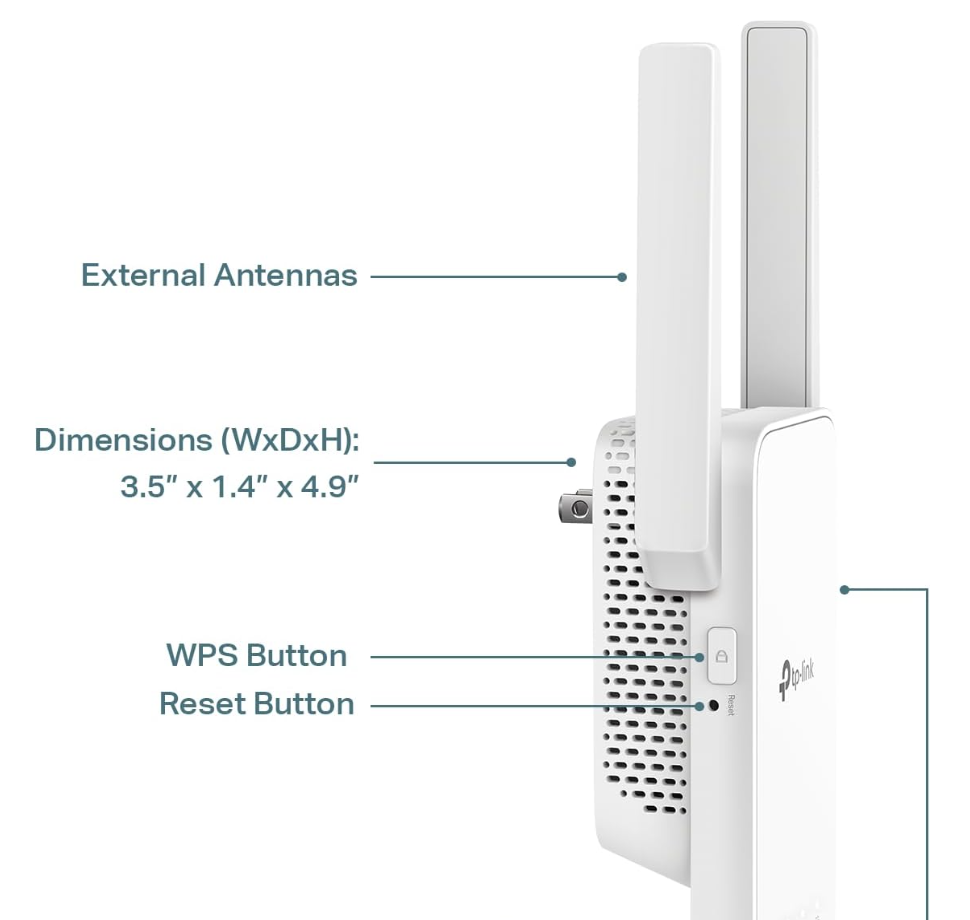
- Locate the reset button: Look for a small hole labeled "Reset" on the side or back of the extender.
- Press and hold: Use a paperclip or SIM ejector tool to press and hold the reset button.
- Wait for reboot: Keep the button pressed for about 10 seconds until the extender's lights flash or the device reboots.
- Release and wait: Release the reset button and allow the extender to fully reboot.
- Reconnect: The extender is now reset to its factory default settings and you can reconnect to the default TP-Link Wi-Fi network to configure it.
Click here to follow the steps to get it configured: https://support.biocharger.com/hc/en-us/articles/33055582343187-TP-Link-Adapter-Setup-Guide
Related to